
Google has announced the launch of a new product, PhotoScan to help you scan and digitise old photographs. The new product is powered by Google Photos and ensures that the old photos scanned by PhotoScan will be clear and glare-free which usually happens when we try taking images of old photographs using the smartphone.
The app can detect edges, straighten the orientation, straighten and rotate the picture to scan them as properly as possible. The app uses augmented reality to create four points near the frame of the photo and uses the four photos to create an image composite without glare. The setup of the app is simple as it gives instructions on how to use the app properly. After you capture the image and the app creates a composite, you can adjust the corners and rotate the picture to your satisfaction.
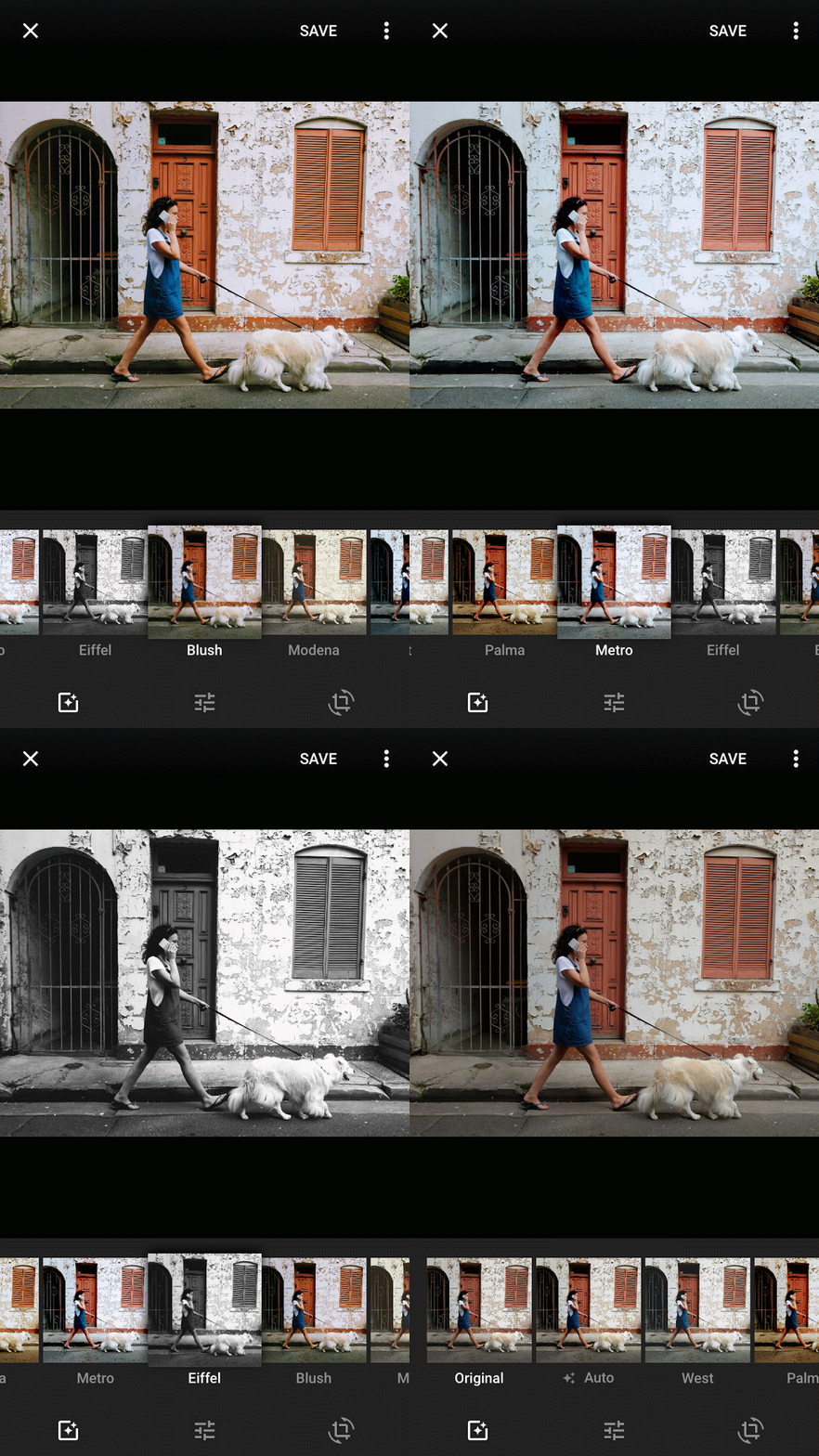
The image is saved in the app, and you can save multiple apps at the same time to the phone storage after you are done. The scanned images can be saved to Google Photos for secure digital backup in hight quality. Google has launched the app for both Android and iOS users. Users can then open the saved photo in Google Photos to auto enhance, apply styles or edit light and colour in the pictures.
PhotoScan is being released as part of a broader update to Google Photos today that also includes new editing tools and automatically generated movies. The core Google Photos app now has a new "auto-enhance" feature that the company says does a better job in enhancing your photos with one tap. It also now has a series of filters, called "looks," that make different adjustments depending on the content of the photo. Photos with faces might get one treatment; landscapes will get another. You can also make fine-grained adjustments to your photos using new sliders under the existing "light," "color," and "pop" tools.
Google Photos is also expanding the number of automatically generated movies it will make on your behalf depending on the photos you have in your library. The movies, which made their debut in September, will soon have three more kinds of movies in their collection: one for the first few months of a newborn’s life; one for formal occasions like weddings; and one called "through the years" that offers a slideshow of photos from annual events like Thanksgiving and Christmas. New movies should start popping up in users’ Google Photos accounts over the next few weeks and months, the company said.
Download for Android
Download for iOS
Source: Google Blog
Do Subscribe on YouTube!
Follow Me on Twitter>>>gt; @iamBhavish
And like us on Facebook>>> The Gud1


